
Short on time? Here is what matters most:
- 🚨 Treat urgent requests for passwords, payment details, gift cards, or transfers as potential Digital Scams until independently verified.
- 🔊 A familiar voice is no longer reliable proof of identity: AI Voice Cloning can imitate relatives, colleagues, and executives.
- 🔐 Use a second communication channel, a shared verification phrase, and direct contact details to stop most impersonation attempts.
- 🧭 For tourism teams, museums, guides, and event organisers, clear staff procedures protect both visitors and institutional trust.
Recognise Digital Scams Before Urgency Overrides Good Judgement
Most Digital Scams do not begin with sophisticated code. They begin with pressure. A text message claims that a parcel cannot be delivered, an email says an account will be closed within minutes, or a caller presents an apparent emergency involving a family member. The goal is simple: make the recipient act before checking the facts.
In 2026, phishing emails, fraudulent texts, fake payment pages, and impersonation calls remain highly effective because they copy the language and visual identity of trusted organisations. A logo, an official-sounding signature, and a convincing deadline can create the appearance of legitimacy. However, a reputable bank, government body, employer, or booking platform will not ask for a password, one-time security code, or full card information through an unsolicited message.
The first practical rule is to stop before clicking, replying, calling back, or paying. A message that feels urgent should be treated as a prompt to verify, not as a reason to react faster. Open the organisation’s official website independently, use the phone number printed on a card or published in a verified directory, and check the account through its normal application.
Common warning signs that deserve a pause
Fraudsters often combine several signals. A message may contain a small spelling change in the sender address, a shortened link, unusual punctuation, or wording that does not match the organisation’s usual tone. These details matter because criminals depend on recipients scanning quickly rather than reading carefully.
Consider a small museum that receives an email supposedly from its ticketing provider. The email states that its account will be suspended unless a manager signs in through a linked page. Instead of using the link, the manager opens the provider’s bookmarked portal and finds no alert. That small detour prevents credential theft and protects visitor booking data.
| Signal | What it may indicate | Safe response |
|---|---|---|
| 🚨 “Pay now or lose access” | Pressure-based Online Fraud | Visit the official account page independently. |
| 🔗 Unfamiliar or shortened link | A fake login or payment page | Do not open it; type the official address yourself. |
| 🎁 Unexpected prize or refund | Data harvesting attempt | Check whether you entered a real competition. |
| 🔑 Request for a password or code | Account takeover attempt | Never disclose credentials or authentication codes. |
| 📞 Caller demands secrecy | Social engineering and coercion | End the call and verify through another channel. |
Children, older adults, seasonal staff, and busy frontline teams can be targeted because attackers exploit distraction, trust, or unfamiliarity with digital processes. Training should avoid blame. The useful message is that anyone can be targeted, and a cautious pause is a professional strength rather than a sign of poor digital skills.
A useful Scam Prevention habit is to separate the message from the action. Read an alert on one device, then access the account through a saved app or a known website on another route. This breaks the attacker’s path to a fraudulent page. For additional examples of suspicious patterns, review these AI scam warning signs.
The central lesson is straightforward: urgency is a tactic, not evidence. Once that principle becomes routine, the next threat—voice impersonation—becomes easier to assess calmly.
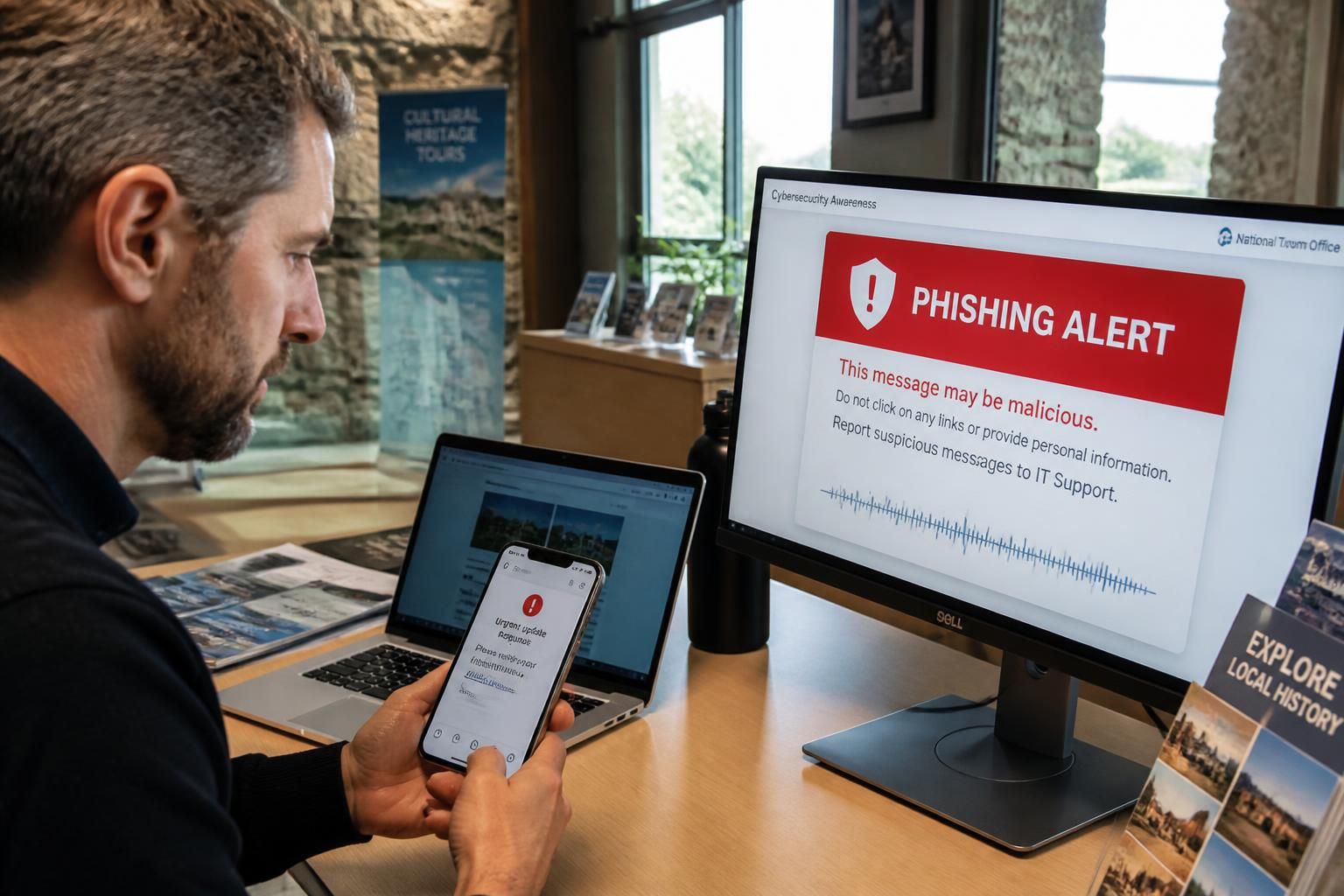
Understand How AI Voice Cloning Turns Familiar Voices Into Fraud Tools
AI Voice Cloning uses Voice Synthesis systems to create an artificial copy of a person’s voice. Criminals may collect short public audio clips from social media videos, podcasts, online presentations, voicemail greetings, or recorded interviews. They then use these samples to generate speech that resembles the target’s tone, pace, accent, and vocal mannerisms.
This technology has legitimate uses. It can support accessibility, dubbing, narration, language learning, and digital visitor experiences when deployed with consent. The risk appears when a convincing synthetic voice is used to manipulate someone into sending money, sharing information, or changing a payment instruction.
A common scenario begins with a call from what sounds like a relative or colleague. The person says they have been injured, detained, stranded, or locked out of an account. They ask for immediate financial help and insist that the recipient not tell anyone. In a workplace version, a caller may sound like a director requesting an urgent supplier payment while travelling.
Listen for context, not only for audio flaws
Early synthetic voices sometimes had obvious robotic sounds. Modern tools are more natural, so relying on strange pauses or distorted pronunciation is no longer enough. Better Fraud Detection focuses on context: Is the request unusual? Does the caller avoid a video call? Are they creating panic? Are they asking for information they should already know?
Imagine that Maya, a guide coordinating a group visit, receives a call from a voice that sounds exactly like her manager. The caller asks her to purchase digital gift cards for an “urgent partner issue” and send the codes immediately. The request is inconsistent with the organisation’s finance process, so Maya ends the call and contacts the manager through the internal directory. The manager confirms that no request was made.
That response works because it evaluates behaviour rather than attempting to become an audio forensic expert in real time. A cloned voice can imitate sound, but it cannot reliably reproduce established approval procedures, shared knowledge, or secure internal workflows.
- 🎙️ Listen for language that feels out of character, such as an unusually aggressive tone or unfamiliar phrases.
- 🧩 Ask a question based on private shared context that is not available on public profiles.
- 📱 Say that you will call back using the verified number already stored in your contacts.
- 💳 Refuse to provide account details, security codes, or payment authorisation during an unexpected call.
- 🤝 Alert another trusted person before sending funds, especially when secrecy is requested.
A pre-agreed family or team verification phrase can help, but it should not be posted online or reused in public-facing material. For organisations, the stronger option is a policy: no banking change, vendor payment, password reset, or sensitive data release is approved solely through a voice call.
For a broader explanation of manipulation methods, this guide to detecting and preventing voice-cloning scams shows why operational verification matters as much as technical awareness.
The key point is that a recognisable voice proves very little when the request is unexpected. The following verification routine turns that awareness into a repeatable response.
Use a Verification Routine That Stops AI Voice Fraud Quickly
A reliable response to suspected voice fraud should be simple enough to use under stress. Long security manuals are rarely consulted during a tense call. A short routine gives families, staff members, guides, and visitor-facing teams a practical way to slow down an attacker’s momentum.
Start by ending the call politely without confirming any sensitive information. This is not rude; it is a normal security measure. Then contact the claimed person through an established number, an internal messaging platform, a verified email address, or an in-person conversation. Do not call back the number that appeared on the screen, because caller ID can be spoofed.
Apply the pause, verify, document process
Pause: do not transfer money, share a code, install software, or disclose personal details. Fraudsters often use emotional pressure because calm verification reduces their chance of success.
Verify: use a separate channel and independently found contact details. If the call concerns a supplier, contact the supplier’s known account manager. If it concerns a family emergency, call the family member directly or speak to another relative. If the caller claims to represent a platform, open the platform’s official app rather than following instructions given by the caller.
Document: save the time of the call, the number shown, the request made, and any payment details supplied. This information can help an organisation’s security team, a bank, or law enforcement identify patterns. It also makes it easier to warn colleagues before another attempt occurs.
For cultural venues and tourism operators, verification should be embedded in daily operations. A venue may receive calls about visitor refunds, ticketing credentials, media requests, or emergency transport changes. The right process is not to guess whether a voice is artificial; it is to require confirmation through a documented channel before action is taken.
Audio technology can make communications more inclusive, especially for guided visits where clear sound improves access for multilingual and hearing-impaired audiences. Yet the same focus on quality should include secure usage. Teams using smartphones for tours should protect devices with strong passcodes, enable multi-factor authentication, limit administrative access, and keep applications updated.
A staff briefing can include a short scenario: a caller claiming to be the director asks a guide to disclose the group leader’s contact details because “the booking system is down.” The guide should know that personal data is not released over an unverified call. Instead, the guide records the request and checks it through the authorised office channel.
This approach supports both privacy and Cybersecurity. It reduces the likelihood of Identity Theft, prevents unauthorised access to visitor data, and creates consistent behaviour across permanent staff, volunteers, and contractors. Technology changes quickly, but verification workflows remain effective because they remove the attacker’s ability to dictate the route of communication.
Public reporting on AI-enabled impersonation has reinforced the same practical advice: a believable call must be verified independently. Read more about the wider rise of AI voice-cloning scams and protective steps before designing a team protocol.
The most effective defence is not perfect detection software. It is a routine that makes unverified requests impossible to complete quickly.
Protect Personal Data and Public Audio From Identity Theft Risks
Voice recordings, contact information, travel plans, job titles, and family relationships can all help criminals build a convincing story. Individually, these details may seem harmless. Combined, they can create an accurate profile that supports impersonation, targeted phishing, and Identity Theft.
Public social media accounts are a frequent source of material for attackers. A short video celebrating a successful event, an audio interview with a guide, or a podcast episode featuring a museum curator can provide enough speech for some Voice Synthesis services to attempt a clone. This does not mean that every public recording must disappear. It means organisations and individuals should make deliberate choices about what they publish and who can access it.
Reduce the information that makes impersonation credible
Review public profiles for posts that reveal full dates of travel, school names, workplace roles, direct phone numbers, or family connections. Delay publishing live location updates until after an event. Ask staff and contributors before reposting videos that contain clear voice samples, particularly when the content also identifies their role and employer.
For a visitor experience team, this can be addressed through a lightweight publishing policy. Consent should be obtained before recording testimonials. Shared folders containing raw audio should have controlled access. Former contractors should be removed from accounts promptly. These measures are not restrictive bureaucracy; they protect people whose voices and identities are part of the organisation’s public presence.
Passwords deserve equal attention. Every important account should use a unique, long password stored in a reputable password manager. Multi-factor authentication should be enabled wherever available, preferably with an authenticator app or security key rather than SMS alone. Text-message codes are useful, but SIM-swapping and phone-number attacks can undermine them.
Another practical step is to establish financial safeguards with banks and payment platforms. Transaction alerts, transfer limits, and approval requirements give people time to spot unusual activity. A caller who demands an instant transfer is less dangerous when the bank requires a second verified approval.
Deepfake Technology also affects video. A video call can contain manipulated visuals, altered audio, or both. If a person appears on screen but behaves unusually, continue to verify the request. Ask them to confirm a pre-established operational detail, switch to a known internal platform, or involve a second authorised colleague. Video adds information; it does not automatically establish authenticity.
Education should be adapted to the audience. Older relatives may benefit from a printed list of trusted contacts and a family verification phrase. Young people need clear guidance about oversharing, account privacy, and suspicious direct messages. Teams need escalation routes that are easy to use during busy periods, not just a policy hidden in a folder.
For practical guidance tailored to this evolving risk, see these AI voice-cloning threat prevention measures. The strongest protection is built before an incident: share less sensitive context publicly, secure accounts consistently, and verify unusual requests without exception.
Build AI Security Procedures for Tourism, Culture, and Event Teams
Tourism and cultural organisations manage valuable information: visitor lists, payment records, access credentials, itineraries, supplier contacts, and staff schedules. Their public-facing nature also makes them attractive targets for Online Fraud. A criminal who impersonates a guide, venue manager, or transport partner may exploit the pace of an event to obtain data or redirect a payment.
AI Security should therefore be treated as an operational issue, not only an IT concern. Frontline teams often receive the first suspicious message or call. If they know exactly what to do, the organisation gains a strong human layer of defence.
Create procedures that are clear during a busy day
Start with payment controls. Any change to bank details, invoice instructions, or urgent purchasing requests should require confirmation through a known contact method and a second authorised person. No exception should be made because a caller appears senior or sounds familiar. This is especially important for event teams that work with temporary suppliers and last-minute changes.
Next, define data-sharing rules. A visitor’s phone number, accessibility requirement, location, or booking reference should only be shared through authenticated systems and approved channels. When a caller claims to be a participant, colleague, or partner, staff should verify identity before discussing any personal information.
Finally, make reporting easy. A short internal form or dedicated email address allows employees to report suspicious calls and messages quickly. The aim is not to create paperwork for every odd email. It is to spot repeated attempts, block malicious domains, alert colleagues, and improve training from real examples.
| Team area | Practical AI Security control | Expected benefit |
|---|---|---|
| 🎫 Ticketing | Confirm refund or account-change requests inside the official platform. | Reduces account takeover and false refund requests. |
| 💼 Finance | Require two-person approval for new payees and changed bank details. | Limits invoice diversion and executive impersonation fraud. |
| 🎧 Guided visits | Use secure, managed devices and restrict administrator access. | Protects audio systems and participant information. |
| 📣 Communications | Obtain consent for recordings and control access to raw voice files. | Reduces material available for abusive cloning. |
| 🧑🤝🧑 Frontline staff | Provide a one-page pause-and-verify escalation process. | Improves rapid Fraud Detection under pressure. |
Regular simulations help turn policy into instinct. A manager can send a clearly labelled training exercise that imitates a suspicious supplier email or a voice request for an unauthorised payment. Afterwards, the team reviews which clues were noticed and which process prevented harm. The purpose is learning, not embarrassment.
Smart audio tools can support modern, accessible visitor experiences without complicating security. When platforms are deployed thoughtfully, teams can separate public audio content from administrative functions, manage access centrally, and maintain a clear chain of responsibility. This balance is essential: innovation is valuable when it improves experience while preserving control.
Keep one principle visible in every procedure: no urgent request is more important than independent verification. It protects visitors, staff, partners, and the reputation that cultural and tourism organisations build over years.
Can AI Voice Cloning be detected by listening carefully?
Sometimes a cloned voice may contain unusual pauses, pronunciation, or emotional delivery, but modern synthetic audio can sound highly convincing. Verify the request through a separate trusted channel rather than relying only on what you hear.
What should happen after a suspected scam call?
End the call, do not share information or send money, contact the person or organisation through a verified number, save relevant details, and report the attempt to the appropriate bank, platform, or internal security contact.
Can a shared safe word stop voice impersonation?
A private verification phrase can help families and small teams, provided it is not posted online or reused publicly. It should support, not replace, direct verification through known contact details.
Why are tourism and event teams exposed to AI-enabled scams?
They often handle fast-changing schedules, visitor information, supplier payments, and public communications. Attackers can exploit urgency and impersonate managers or partners to request data, credentials, or transfers.
