
Deepgram’s Air-Gapped Laptop Ambition: Separate the Roadmap from Available Capabilities
Deepgram’s push toward air-gapped laptops concerns where voice processing happens, not simply whether an application can work during a network outage. The objective described by staff technical program manager Nick Mann is to run models natively on personal hardware, allowing people to use speech-based tools without sending every recording to a remote service.
In SiliconANGLE’s October 2026 reporting on Deepgram’s laptop ambitions, Mann presents fully disconnected personal devices as a direction the company wants to reach. That distinction matters: a stated development goal is not evidence that every model, language, or conversational feature is already available as a supported offline laptop product.
What Air-Gapped Voice AI Actually Means
An air-gapped computer is deliberately isolated from external networks. Its separation is a security arrangement involving hardware, operating procedures, and controlled transfers, rather than a temporary condition created by switching off Wi-Fi during a demonstration.
For speech recognition to function in that setting, the required software, model files, language resources, and configuration must already be present. Any dependency on remote authentication, downloadable components, cloud inference, or online license renewal needs to be identified before deployment.
Consider a hypothetical municipal museum, Harbor Museum, preparing transcripts of unpublished oral-history interviews. Its archivists want recordings to remain inside a controlled workspace, while visitor-facing teams need approved excerpts for accessible interpretation.
A locally running transcription engine could support that workflow, but the museum would still need to verify installation rights, hardware compatibility, update procedures, and whether the application attempts external connections. Offline transcription is one capability; a defensible air-gapped deployment is an operating model.
Speech-to-Text Is Not a Complete Conversational Assistant
Deepgram develops technologies for converting speech into text, generating spoken output, and supporting voice agents. These functions should be assessed separately because a device capable of transcribing audio does not automatically possess an offline knowledge base or the reasoning system needed to answer questions.
A complete assistant may require microphone capture, transcription, an application or language model, access to approved information, and speech synthesis. If one component depends on the internet, the overall experience is not fully disconnected, even when the initial audio processing happens locally.
Harbor Museum might begin with a narrow task: producing draft transcripts for staff review. Answering visitors’ questions about an exhibition would be a separate project, requiring verified content, appropriate response boundaries, and a dependable fallback when the system cannot answer.
Deepgram’s overview of conversational voice applications helps explain how these components interact. However, performance descriptions for hosted services should not be treated as guarantees for isolated laptops with different processors, thermal limits, or software configurations.
Read the Infrastructure Story with Procurement Discipline
The supplied reporting describes a company supporting an internal research team of 45 people alongside tens of thousands of external customers. Those figures explain why training infrastructure and deployment partnerships matter, but they do not establish a laptop’s supported workload or availability.
The interview was also produced within event coverage for which theCUBE was a paid media partner of Dell. That disclosed commercial context does not invalidate the technical discussion, but purchasing decisions should rely on documentation, contractual commitments, and reproducible tests rather than interview statements alone.
Ask suppliers to distinguish announced optimization work, demonstrable prototypes, and generally available packages. For each proposed capability, request the supported device list, installation method, licensing requirements, and maintenance responsibilities.
🔎 Treat the headline as a deployment direction to investigate, not a blanket promise of ready-to-install functionality. Once the product boundary is clear, the next practical question is whether your chosen hardware can sustain the workload.
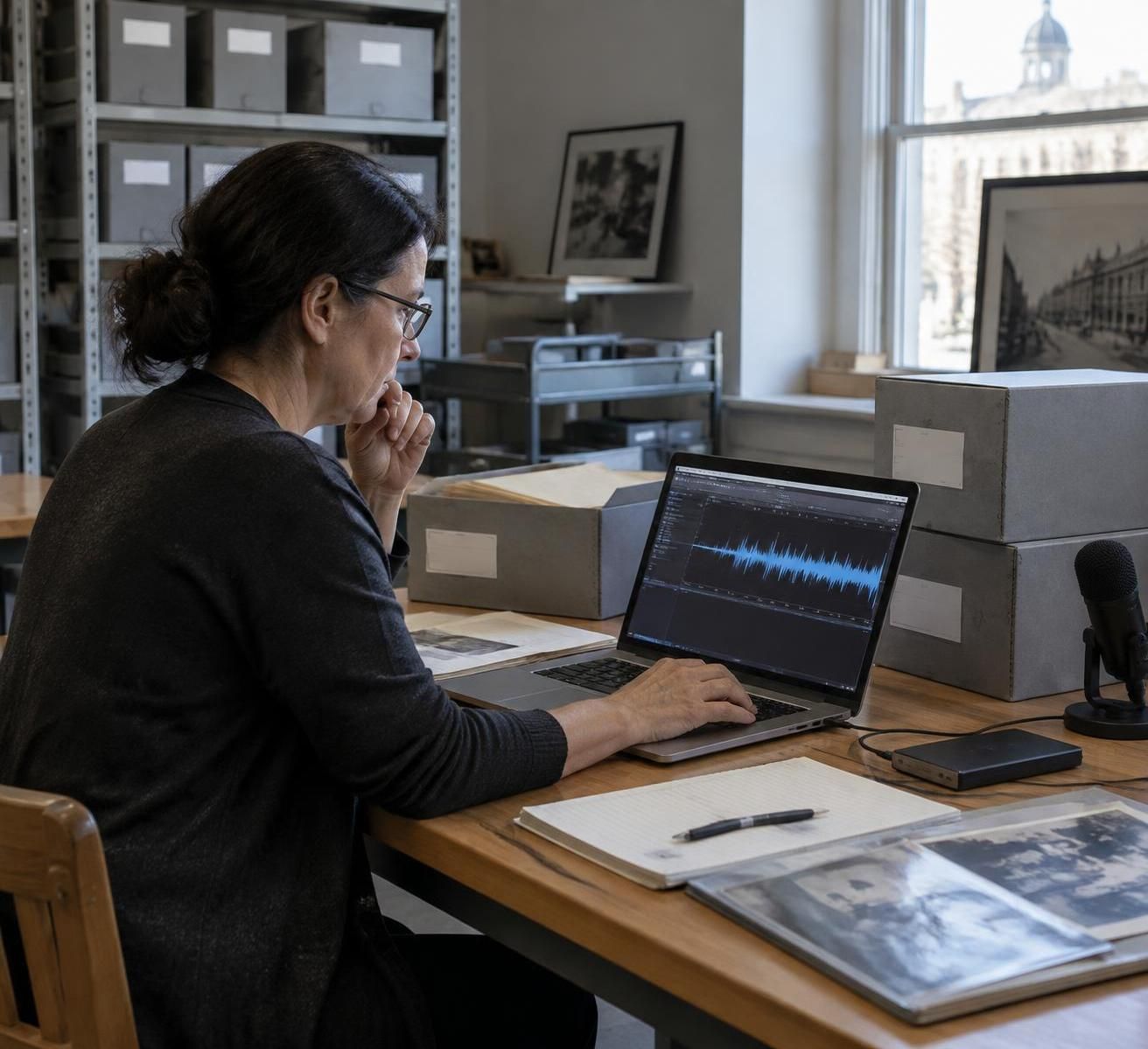
On-Device Speech Recognition: Match Deepgram’s Edge Computing to Real Laptop Workloads
Moving voice AI onto a laptop changes the performance equation. Instead of relying on a remotely managed server, your application shares processing capacity, memory, storage, and battery power with every other task running on the device.
Deepgram has announced work to optimize its Nova-3 speech-to-text model for the Qualcomm Hexagon neural processing unit in the Snapdragon X Series platform. Its announcement about real-time voice processing at the edge provides relevant context for that hardware-specific direction.
This does not establish identical support across all Windows laptops, Macs, or older PCs. A machine marketed as an “AI laptop” may include an accelerator, yet the intended application still needs a compatible runtime and a model implementation that can actually use it.
Evaluate the Whole Audio Pipeline, Not Just the Processor
A neural processing unit can accelerate supported operations, but transcription quality also depends on the signal reaching the model. A distant speaker, ventilation noise, reverberant stone walls, and overlapping conversation can undermine results before computation becomes the limiting factor.
At Harbor Museum, an archivist interviewing one seated participant faces a different problem from a guide speaking while walking through a crowded gallery. The first workflow may benefit from a carefully positioned microphone; the second requires testing movement, changing distance, and background sound.
Your evaluation should therefore record microphone type, placement, room conditions, operating-system settings, and application version. Without those details, two apparently identical tests may produce different results for reasons unrelated to the model.
Measure the time before the first visible text appears, how quickly that text stabilizes, and whether the application can keep pace throughout a long recording. A fast opening minute is not enough if the device later slows because of heat or memory pressure.
Compare Hardware Against Your Actual Use Case
| Deployment factor | Practical test | Operational significance |
|---|---|---|
| ⚙️ Accelerator compatibility | Confirm that the supplied runtime uses the supported processor | Hardware branding alone does not prove acceleration |
| 🎙️ Audio capture | Record representative speakers in the intended room | Signal quality directly affects transcription usefulness |
| 🔋 Sustained operation | Run a complete session on battery power | Short demonstrations can hide thermal or endurance problems |
| 💾 Memory and storage | Test with normal business applications open | The model must coexist with everyday staff workflows |
| 🌐 Network independence | Launch and operate under controlled network isolation | Previously cached resources can conceal external dependencies |
For recorded interviews, also measure processing time against recording length. A batch workflow that finishes after the session may be perfectly acceptable for an archive, while live captions require a much tighter response window.
Ask whether the advertised configuration supports continuous listening, uploaded audio files, or both. These are different workloads, and an organization should not purchase equipment on the assumption that one benchmark covers every mode.
Understand Where Dell’s Infrastructure Fits
The reporting describes Dell supplying infrastructure for Deepgram and running its models in a customer innovation lab. It also mentions deployments ranging from compact NVIDIA GB10-based systems to larger installations, illustrating a broader computing ecosystem rather than a single laptop configuration.
Training capacity, enterprise servers, desktop-class systems, and portable computers serve different purposes. Improvements made in a research environment still need packaging, optimization, and support before becoming dependable tools for a guide or archivist.
Harbor Museum should consequently compare approved configurations rather than assembling a specification from unrelated announcements. A slower but supported installation can be operationally safer than an impressive demonstration with no documented maintenance path.
The useful benchmark is a complete working session on your intended device, with your audio and your normal applications. Hardware performance then needs to be assessed alongside the information-protection requirements that justified local processing.
Data Privacy on Air-Gapped Laptops: Protect Recordings Beyond Cloud Avoidance
Keeping audio away from a cloud endpoint reduces one category of exposure, but it does not automatically make the recording secure. A transcript can still leak through removable storage, shared accounts, misplaced equipment, poorly configured backups, or an application’s temporary files.
For museums and tourism organizations, the relevant material may include interviewees’ personal histories, children’s voices, staff conversations, or information shared during accessibility assistance. Data privacy therefore depends on what is captured, why it is retained, who can access it, and when it is deleted.
Separate Air Gaps, On-Premises Hosting, and Confidential Computing
An on-premises service runs on infrastructure controlled by an organization, but it may still connect to internal or external networks. An air gap describes network isolation, while confidential computing uses supported hardware protections to restrict access to data during processing.
Deepgram’s work with Fortanix and NVIDIA concerns private enterprise deployments using confidential-computing capabilities. That is relevant to secure environments, but it should not be represented as proof that an ordinary laptop receives the same protections.
Each arrangement addresses different risks. Network separation can reduce remote access opportunities; encryption can protect stored files; hardware-backed isolation can protect certain processing workloads when the complete supported configuration is present.
Harbor Museum’s security team should map those controls to specific threats. For example, an isolated workstation does little to prevent disclosure if an authorized operator exports an unredacted transcript onto an untracked USB drive.
Build a Recording Lifecycle That Staff Can Follow
Start with a clear capture policy. Staff should know when recording is permitted, what notice or consent is required, and how to stop capture when a participant changes their mind.
Separate original audio, draft text, reviewed transcripts, and publication-ready extracts. A speech-to-text result may contain errors and sensitive details, so it should not automatically enter a public content library or visitor application.
- 🔐 Protect stored material: use organizationally approved encryption, access controls, and account policies.
- 👥 Restrict access by role: distinguish recording operators, reviewers, administrators, and content publishers.
- 🗂️ Define retention periods: retain source audio and working files only for justified operational or legal purposes.
- 🔌 Control transfers: approve removable media and document movement between isolated and connected systems.
- 🛠️ Plan updates: validate software packages before installation and preserve a recovery route.
These controls need usable instructions, not merely a policy document. An archivist should be able to identify the correct storage location and export procedure without making a security judgment during every routine task.
Check the Files and Connections You Cannot See
Applications may create diagnostic logs, crash reports, temporary audio segments, or intermediate transcripts. Ask the supplier where these files are written, whether they contain personal information, and how they are removed.
Deletion also requires care because removing a file from the visible interface does not necessarily remove backups or all underlying copies. Your IT team should select procedures appropriate to the device, storage technology, and applicable retention obligations.
Licensing deserves equal attention. Confirm whether installation, activation, periodic validation, or recovery requires external communication, and obtain a documented method compatible with the organization’s isolation policy.
For European institutions, local processing may support a data-minimization strategy, but it does not replace the need for a lawful basis, appropriate notices, or other applicable GDPR obligations. Technical architecture and legal governance must work together.
At Harbor Museum, a privacy-preserving workflow might release only approved excerpts from the archive into visitor-facing systems. That boundary allows public interpretation to benefit from the material without exposing entire interviews.
🛡️ The strongest privacy claim describes the complete recording lifecycle, not merely the absence of a cloud upload. With that lifecycle defined, organizations can select visitor and staff experiences that genuinely benefit from local processing.
Offline Transcription for Museums and Tours: Choose Useful, Accessible Applications
The most valuable tourism application is often a focused staff tool rather than an always-listening visitor assistant. Local transcription can help prepare interpretation material, document interviews, or support controlled captioning trials without introducing a complex conversational service at every visitor touchpoint.
At Harbor Museum, the initial opportunity is straightforward: archivists currently replay interviews repeatedly to locate names, dates, and useful quotations. Searchable draft transcripts could reduce that navigation work, provided staff verify important passages against the recordings.
Turn Draft Transcripts into Reliable Cultural Content
Proper names, historical terminology, regional accents, and multilingual passages deserve particular attention. A plausible-looking sentence may conceal an incorrect place name or alter a speaker’s meaning, so visual fluency is not an adequate quality test.
Create a reference list of exhibition titles, local landmarks, artists, and specialist vocabulary. Ask the supplier whether the supported implementation offers vocabulary assistance, and test the feature rather than assuming it behaves like a hosted product.
A reviewer can then mark unclear segments, correct terminology, and approve quotations for publication. This turns automation into a preparation aid while keeping editorial responsibility with the institution.
For accessibility, reviewed transcripts can accompany recorded interpretation and help visitors locate information without listening to an entire audio track. They should be formatted for readability and checked for meaningful omissions, not published directly from raw machine output.
Use Live Captions Where the Conditions Support Them
A fixed lecture room may be a better early captioning environment than a moving outdoor tour. Controlled microphone placement and fewer competing speakers make it easier to identify whether delays or mistakes come from acoustic conditions, software behavior, or the presentation setup.
Where live text is offered, explain its role and retain alternatives for visitors who need dependable access. Essential directions, emergency instructions, and complex access information should not depend solely on unreviewed automated captions.
What happens when a guide quotes a foreign-language inscription or a participant speaks from the back of the room? Testing those ordinary moments is more useful than demonstrating a carefully scripted monologue in a quiet office.
Language expansion in one Deepgram product should not be treated as identical language coverage across every local model and deployment package. Your acceptance test needs the specific language, accent, and operating mode that your audience will encounter.
Keep Audio Delivery Separate from Voice Intelligence
A visitor experience also needs clear sound, simple controls, and appropriate content. Transcription addresses only part of that experience; it does not automatically deliver a guide’s voice to every participant or organize an engaging route.
Grupem focuses on using smartphones as professional audio-guide tools, a separate operational layer from the laptop processing discussed here. Your team can assess audio delivery and content preparation independently, without assuming an integration or offline Deepgram capability that has not been documented.
The distinction explored in Grupem’s guide to voice AI and conversational AI is useful when specifying a project. Understanding speech, generating a response, and delivering interpretation are related activities, but each requires its own evaluation.
For an institution evaluating regional deployments, Grupem’s coverage of Deepgram’s voice technology in APAC provides complementary context. It should not substitute for checking language support and contractual availability in the proposed local installation.
Harbor Museum could therefore maintain two clear workstreams: a protected archive workstation for producing reviewed content, and a visitor audio service for distributing approved interpretation. This division gives each team a manageable responsibility and avoids unnecessary access to sensitive source recordings.
Accessibility improves when technology solves a defined visitor need and preserves a dependable alternative. The next step is to test that need through a bounded pilot, with measurable results and a documented support process.
Deploying Deepgram Voice AI on Isolated Devices: Build a Measurable Pilot
A credible pilot begins with an acceptance plan, not a purchase order. Your organization should define the task, representative audio, security boundary, supported hardware, and review process before selecting a model or committing to a fleet of devices.
For Harbor Museum, the first trial could involve a small selection of consented oral-history recordings processed on one approved workstation. This keeps the evaluation focused on transcription usefulness while postponing more complex questions about live visitor interaction.
Set Requirements That Reflect Daily Work
Write down the intended input and output. For example, the system receives a recorded interview, produces a draft with usable timing information, and exports it into a format the archive team can review without an external service.
Specify whether processing must occur entirely inside an air gap or simply within organization-controlled infrastructure. These requirements affect installation, support, and maintenance, and should not be left as interchangeable wording in a supplier proposal.
Include expected session length, languages, speaker conditions, and the other applications that must remain open. Also define who can approve updates and what happens when an operator encounters a failed job.
Measure Accuracy, Correction Effort, and Operational Reliability
Word error rate can be useful, but it does not capture every institutional risk. An incorrect artist’s name, a missing negation, or a mistaken date may matter more than several harmless punctuation differences.
Create a reviewed reference transcript for representative samples and compare the output systematically. Alongside transcription errors, record correction time, missed passages, processing duration, and whether the application remained stable throughout the session.
A tool that produces more text quickly is not automatically more efficient. If staff spend longer correcting its output than their existing workflow requires, the apparent automation benefit disappears.
- 🎯 Select one bounded task: avoid combining transcription, translation, question answering, and audio delivery in the first trial.
- 🎧 Use representative recordings: include ordinary room noise, accents, specialist terms, and realistic session lengths.
- 🧪 Test genuine isolation: verify cold starts, processing, export, and license behavior under the required network restrictions.
- 📏 Compare against a baseline: measure the existing workflow as well as the proposed one.
- 🔄 Test recovery: rehearse interrupted processing, failed updates, and restoration of a known working configuration.
Include accessibility staff and content reviewers in the evaluation, not only IT specialists. Their observations reveal whether the output is readable, editable, and useful within the institution’s actual publishing process.
Budget for the Supported Lifecycle
Local processing may reduce dependence on remote inference, but it introduces responsibilities for equipment, packaging, monitoring, and maintenance. Compare total operating cost rather than treating a laptop purchase as the complete investment.
Budget for microphones, secure storage, staff review, technical support, and replacement hardware. Ask the supplier how model updates are delivered, whether older versions remain supported, and how configuration changes affect reproducibility.
Maintain a record of the software version used for each evaluation. A model improvement can change results, so previously accepted workflows should be retested after relevant updates rather than assumed to remain equivalent.
Security approval should also survive ordinary operational events. A replacement device, expiring license, or unavailable administrator must not force staff into an improvised cloud upload or an unapproved transfer method.
Define a Go-or-No-Go Decision Before Testing
Set thresholds that match the intended use: acceptable correction effort, tolerable delay, required export behavior, and successful operation within the approved boundary. Assign an owner to each criterion so unresolved issues do not disappear into a general impression that the demonstration worked.
If the trial succeeds, expand gradually to another room, language, or operator. If it fails, identify whether the cause is audio capture, hardware compatibility, product availability, or an unsuitable workflow before changing the entire system.
✅ Approve a deployment only when the complete workflow is useful, supportable, and compliant with your isolation requirements. A documented acceptance test turns an ambitious edge-computing announcement into an accountable operational decision.
Can Deepgram already run every voice AI feature on an air-gapped laptop?
The supplied reporting describes native, air-gapped laptop operation as a development ambition, alongside hardware-specific on-device work. Confirm the availability of the exact model, language, runtime, licensing arrangement, and device configuration before assuming full offline support.
What is the difference between offline transcription and an air-gapped deployment?
Offline transcription means audio can be converted into text without a live internet connection. An air-gapped deployment additionally requires deliberate network isolation and controlled procedures for installation, activation, updates, storage, and file transfers.
Does local speech processing automatically satisfy data privacy requirements?
No. Local processing reduces reliance on external services, but recordings and transcripts still require appropriate permissions, access controls, retention rules, secure storage, and lawful handling. Temporary files, backups, and removable media also need attention.
What should a museum test before buying laptops for speech recognition?
Test the supported hardware and runtime with representative recordings. Measure accuracy on names and specialist vocabulary, staff correction time, sustained performance, battery operation where relevant, export usability, and behavior under genuine network isolation.
Can on-device transcription replace an audio-guide platform?
No. Transcription prepares text from speech, while an audio-guide platform supports visitor-facing audio experiences. They can serve complementary roles, but any integration, language support, or offline behavior must be verified for the specific products involved.
